Every deployment is a risk. A deployment that causes even 30 seconds of downtime at the wrong time can cost thousands in lost revenue, damage user trust, and breach SLAs. We have deployed hundreds of Laravel applications to AWS, and over the years we built a pipeline that eliminates deployment risk entirely. Here's the exact architecture and process we use in production for enterprise clients.
The Problem With Traditional Deployments
A traditional
deployment flow — SSH into server, run git pull,
run migrations, restart php-fpm — has a window of inconsistency. During that window, some requests
are served by the old code and some by the new code. If the migration runs first, old code may fail
with a missing column. If it runs after, new code may fail with the old schema. Either way, you have
a downtime window and a potential data corruption risk.
Our AWS Infrastructure Stack
The foundation is an AWS stack that supports zero-downtime deployments by design:
- EC2 Auto Scaling Group (ASG) — min 2 instances, max 10, behind an Application Load Balancer
- RDS Multi-AZ (MySQL 8.0) — automatic failover, point-in-time recovery, automated snapshots
- ElastiCache (Redis) — for session storage, caching, and Laravel queues
- CloudFront CDN — serves static assets globally with low latency
- S3 — for application file storage and deployment artefacts
- Route 53 — DNS with health checks for automatic failover
- GitHub Actions — CI/CD orchestration triggered on merge to main
The 8-Step Deployment Pipeline
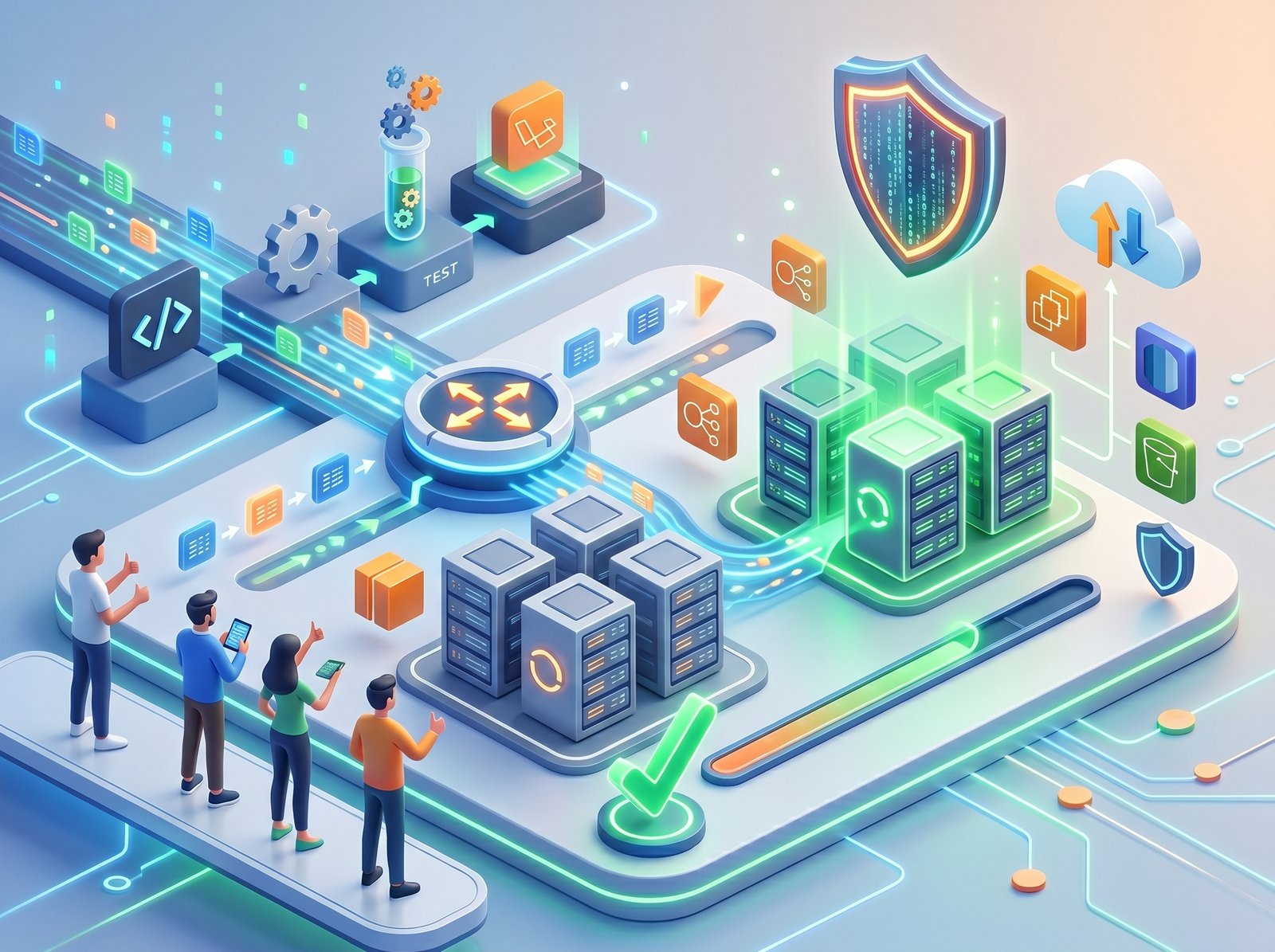
Step 1: Run CI Tests. GitHub Actions runs the full test suite (PHPUnit, Pest, browser tests). No deployment proceeds if any test fails. This catches regressions before they reach production.
Step 2: Build the deployment artefact. We run composer install --no-dev --optimize-autoloader,
run asset compilation, and zip the result into a timestamped artefact uploaded to S3. This means
every server gets identical code.
Step 3: Launch new instances. We create a new Launch Template version pointing to the new artefact. A new set of EC2 instances launches and bootstraps from S3.
Step 4: Health check. We wait for all new instances to pass ALB health checks before proceeding. No traffic flows to them yet.
Step 5: Run database migrations. We run php artisan migrate --force
from a one-off instance. Because all migrations are written to be backward-compatible (see below),
the old code continues to work correctly against the new schema.
Step 6: Traffic shift. We update the ALB target group to route all new traffic to the new instances. The ALB connection draining feature allows in-flight requests on old instances to complete.
Step 7: Warm cache and verify. We trigger a cache warm using a synthetic health-check request that exercises all major routes. We monitor error rates and latency for 5 minutes via CloudWatch.
Step 8: Terminate old instances. Once the new deployment is confirmed healthy, the old instances are terminated. If anything anomalous is detected in step 7, we roll back by shifting traffic back to the old instances — which are still running.
Database Migrations Without Downtime
Migrations are the most dangerous part of any deployment. The key rule: never write a migration that breaks the currently-running version of your code. This means applying changes in multiple deployments:
// WRONG: Renaming a column breaks old code immediately
$table->renameColumn('user_name', 'full_name');

// RIGHT: Three-deployment approach
// Deploy 1: Add new column, write to both
$table->string('full_name')->nullable();

// Deploy 2: Update code to read from full_name
// Deploy 3: Drop old column (now safe)
$table->dropColumn('user_name');
We also run
all large table migrations with pt-online-schema-change
(Percona Toolkit) for tables over 100,000 rows — this avoids the table lock that would block reads
and writes during a heavy ALTER TABLE.
Rollback Strategy
Because old instances are kept running during step 7, a rollback is a 30-second ALB traffic shift back to the old instances. We keep the previous deployment artefact in S3 for 30 days, and RDS point-in-time recovery allows us to restore the database to any second within the last 35 days if a bad migration causes data corruption.
Want Fearless Deployments for Your Laravel App?
We build and manage AWS infrastructure that makes deployments a non-event. No more 2am deployment anxiety.
Talk to Our DevOps Team →.jpeg)